

Welche Automatisierungslösung passt am Besten zu Ihren Anforderungen? Erfahren Sie mehr und lassen Sie sich von unseren Asset-based-consultants beraten!
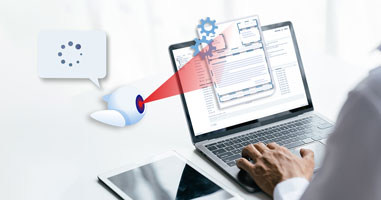
Mit künstlicher Intelligenz Aufgaben effizienter erledigen und automatisiert digitalisieren!
Digitalisierung und Automatisierung
DOKUMENTEN WORKFLOW
VORLAGENWERWALTUNG
DOKUMENTENVERWALTUNG
POSTVERSAND PER KLICK
LIBRE OFFICE
DOKUMENTENVIEWER
DOKUMENTENCLOUD
ONLINE PORTALE
DOKUMENTENAUSTAUCH
DIGITALE SIGNATUR
PDF-Tools
PDF-ERZEUGER
PDF-TOOLS (API)
PDF-TOOLS IM BROWSER
PDF-KOMPRESSION
E-RECHNUNG
Mobile Apps & Scanner
SCANNER APP
CLOUD APP
MULTICLOUD
TRAGBARE SCANNER
WORKFLOW AUTOMATION
- CIB flow
Geschäftsprozesse effizient und prozessgesteuert mit der BPMN-Low-Code-Automatisierungsplattform gestalten.
OPEN SOURCE BPM ENGINE
- CIB seven
Camunda 7 Fork: Die neue Open Source BPM-Engine dauerhaft On-Premise und in der Cloud.
PROCESS ANALYSIS
- CIB ins7ght
Eine intelligente Plattform, die Ihre Prozessdaten analysiert, Transparenz schafft und so Leistung und Effizienz gezielt verbessert.
VORLAGENVERWALTUNG
- CIB coSys
Mit dem hocheffizienten Vorlagenmanager zentral und omnikanal die Qualität und Konsistenz des Output-Managements sichern.
SERVERLÖSUNG
- CIB documentServer
Die serverbasierte Lösung für die Erstellung und performante Verarbeitung von Massendokumenten.
POSTVERSAND PER KLICK
- CIB fairBrief
Umweltbewusst: Post- und Briefversand jetzt komplett online abwickeln - effizient, sicher und kostensparend.
Portale für den individuellen Anwendungsfall
SIGNATURPORTAL
- CIB Signaturportal
Dokumente online unterschreiben – einfach, schnell und digital, mit rechtsgültiger Signatur, hoher Sicherheit und Nachvollziehbarkeit für alle Beteiligten.
DOKUMENTENPORTAL
- Meine Arztdokumente
Arztdokumente jederzeit sicher, digital und komfortabel verwalten – schnell, einfach, papierlos und jederzeit griffbereit, ohne lästigen Papierkram.
MITGLIEDERVERWALTUNG
- CIB Kammerportal
Das zentrale OZG-Portal für die Selbstverwaltung – ein digitaler Schritt in die Zukunft, um verwaltungs- und berufsrechtliche Angelegenheiten einfach, sicher und online zu erledigen.
ABRECHNUNGSPORTAL
- CIB transactProf
Das zentrale Portal für einfache und effiziente Abrechnungsprozesse, spezialisiert auf Immobiliengesellschaften.
All PDF tools you need!
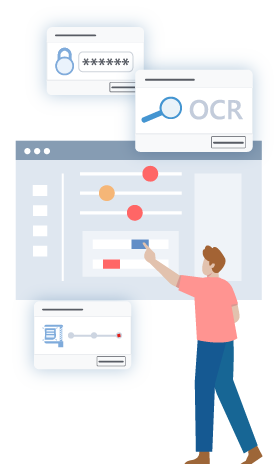
PDF-TOOLS IM BROWSER
- CIB pdf standalone
PDF vielfältig bearbeiten ohne Hochladen Ihrer Daten in das Internet - direkt im Browser und mit garantierter Datenschutz.
DOKUMENTENVIEWER
- CIB doXiview
Im Online-Viewer Dokumente effizient bearbeiten, sensible Daten anonymisieren und vieles mehr - webbasiert und KI-gestützt.
PDF-ERZEUGER
- CIB pdf brewer
Die PDF-Komplettlösung zum Installieren – in der kostenlosen Version mit Erzeugung von barrierefreien PDF/UA-Dokumenten.
PDF-TOOLS (API)
- CIB pdf toolbox
Das leistungsstarke und äußerst zuverlässige PDF-SDK von CIB für die individuelle Business Integration.
Für Cloud-Liebhaber
DOKUMENTENCLOUD
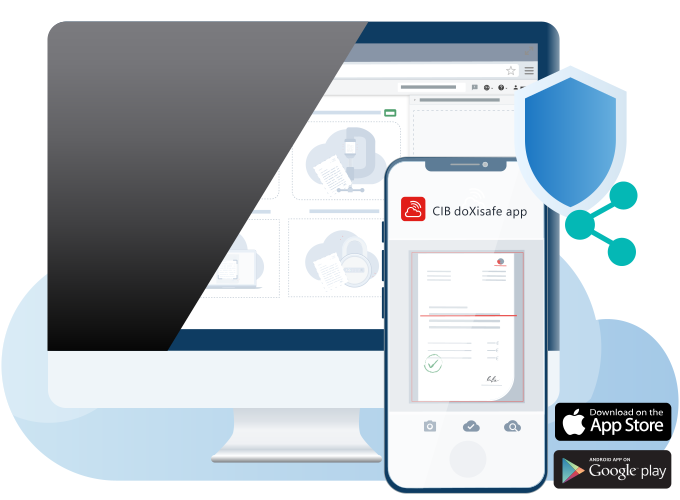
- CIB doXisafe
In der sicheren Cloud kostenlos Dokumente aufbewahren teilen, freigeben und gemeinsam bearbeiten.
CLOUD APP
- CIB doXisafe app
Die kostenlose Cloud fürs Smartphone - Dokumente einscannen, hochladen, sicher teilen und vieles mehr.
MOBILE CLOUD
- CIB doXicloud
Alle Clouds in einer einzigen App! Dokumente zentral aufbewahren, zwischen Clouds transferieren, hochladen und sicher teilen.
SCANNER APP
- CIB doXiscan
Die benutzerfreundliche und praktische App zum optimalen Scannen von Dokumenten als Ergänzung zur CIB doXicloud.
CIB KI
OCR & HANDSCHRIFT-ERKENNUNG
- CIB deepER
Die hocheffiziente OCR ermöglicht präzise die Extraktion von Text aus Bildern und gescannten Geschäftsdokumenten.
ENTITY RECOGNITION
- CIB sherlock
CIB sherlock extrahiert präzise alle für einen definierten Anwendungsfall relevanten Textdaten aus einem Dokument.
ANONYMISIERUNG
- CIB PoP
Die KI unterstützt den Datenschutz durch Anonymisierung und Pseudonymisierung sensibler Daten gemäß DSGVO.
BARRIEREFREI MIT KI
- CIB ridmi
Die KI ermöglicht das barrierefreie Lesen von gescannten oder fotografierten Dateien. Und weil das so ist, haben wir sie ridmi genannt.
AUTOCROPPING
- CIB autoCrop
Die KI erkennt Seitenränder von Dokumentenscan und schneidet diese präzise und automatisch zurecht.
DOKUMENTEN-KLASSIFIZIERUNG
- CIB recogNice
Das KI-basierte Klassifikationsmodul ermittelt aus der extrahierten Textstruktur eines Dokuments die zutreffenden Klassen.
BESSER LESEN MIT KI
- CIB easyRead
Hiermit passen sich Fotos und eingescannte Dokumente flüssig an kleine Bildschirme an. Für mehr Lesekomfort in Ihrem Alltag!
SUPERRESOLUTION
- CIB superResolution
Die intelligente und speziell auf Dokumentmaterial trainierte KI überprüft Bildmaterial und restauriert automatisch unleserliche Texte.
Weitere Lösungen und Module
PDF-KOMPRESSION
- CIB fluXcomprimator
Dateien komprimieren: Das Modul für die PDF-Kompression ist hochperformant und optimiert KI-gestützt die Qualität der Ausgabe.
DIGITALE SIGNATUR
- CIB doXisign
Medienbruchfrei und ohne Installation Verträge und Vereinbarungen online unterschreiben – sicher und DSGVO-konform.
E-RECHNUNG
- CIB invoice toolbox
SEPA-Daten und elektronische Rechnungen in vielen Standardformaten direkt in der Systemumgebung erstellen und verwerten.
TRAGBARE SCANNER
- CIB scannerbox
Mit den faltbaren Scannerboxen aus Karton im Handumdrehen ein praktischer Stativ aufbauen und den optimalen Scan aufnehmen.
LIBRE OFFICE
- CIB Office
Open Source Office-Lösung professionell und sicher nutzen - mit LTS und von zertifizieten Libre-office-Entwicklern.
DOKUMENTENAUSTAUCH
- CIB doXigate
Durchgängig digital mit Mandanten kommunizieren: Das Online-Portal für den Dokumentenaustausch in Echtzeit.
PDF-KOMPRESSION
- CIB fluXcomprimator
Dateien komprimieren: Das Modul für die PDF-Kompression ist hochperformant und optimiert KI-gestützt die Qualität der Ausgabe.
E-RECHNUNG
- CIB invoice toolbox
SEPA-Daten und elektronische Rechnungen in vielen Standardformaten direkt in der Systemumgebung erstellen und verwerten.
BESSER LESEN MIT KI
- CIB easyRead
Hiermit passen sich Fotos und eingescannte Dokumente flüssig an kleine Bildschirme an. Für mehr Lesekomfort in Ihrem Alltag!
DIGITALE SIGNATUR
- CIB doXisign
Medienbruchfrei und ohne Installation Verträge und Vereinbarungen online unterschreiben – sicher und DSGVO-konform.
LIBRE OFFICE
- CIB Office
Open Source Office-Lösung professionell und sicher nutzen - mit LTS und von zertifizieten Libre-office-Entwicklern.
TRAGBARE SCANNER
- CIB scannerbox
Mit den faltbaren Scannerboxen aus Karton im Handumdrehen ein praktischer Stativ aufbauen und den optimalen Scan aufnehmen.